Millions of CS2 players search for the exact settings used by top pros every year. Whether you want to copy ZywOo's viewmodel, match NiKo's video config, or figure out why s1mple plays on stretched 4:3 — this guide has every answer in one place.
Why Settings Matter in CS2
Before diving into the numbers, it's worth understanding why these settings are so important. CS2's viewmodel controls where your weapon appears on screen — a position that can affect how much of the playing field you see. Video settings determine how clearly enemies render and how many frames per second your machine pushes. Launch options fine-tune the engine before the game even loads.
The settings these players use have been tested across thousands of tournament hours. They aren't magic — you still need the practice — but they eliminate the "technical noise" that can slow down improvement.
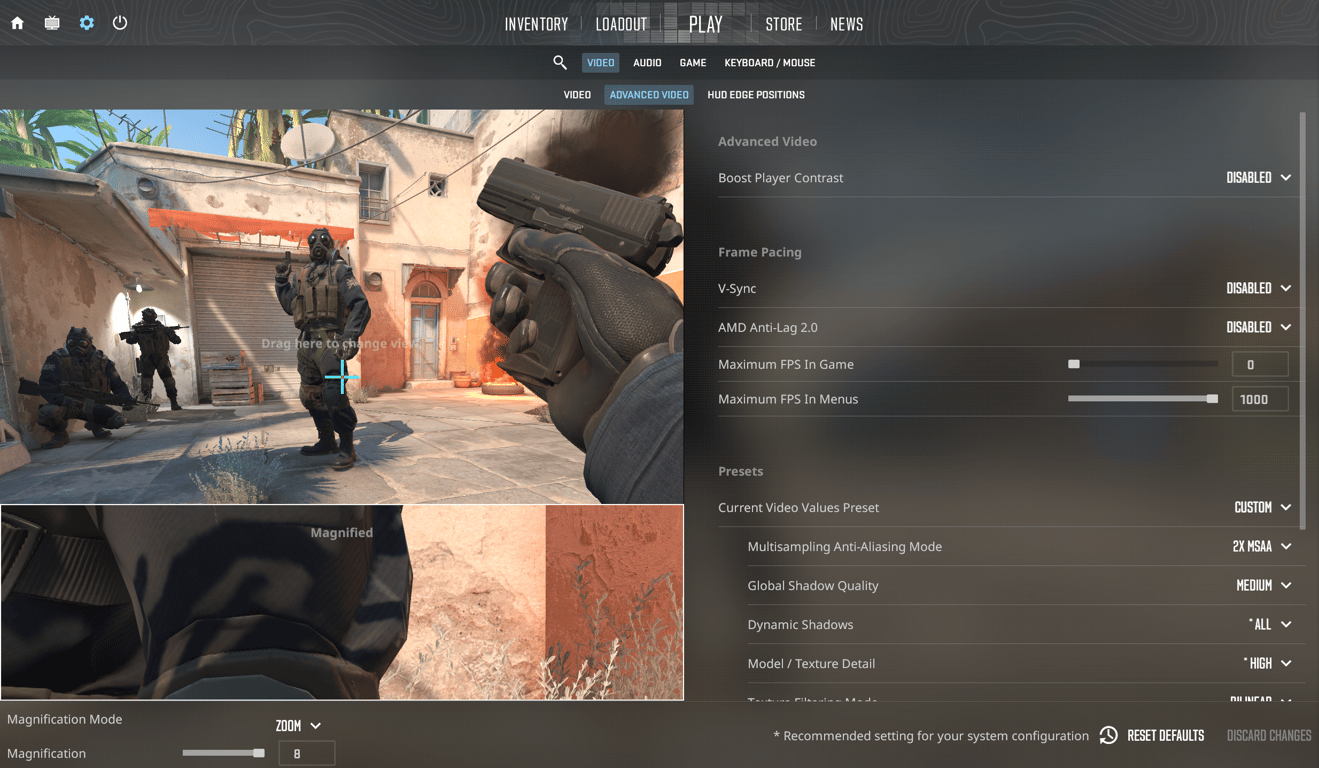
ZywOo CS2 Settings 2026 (Team Vitality)
Mathieu "ZywOo" Herbaut is widely considered one of the best AWPers ever to play Counter-Strike. Playing for Team Vitality, he has claimed multiple HLTV #1 rankings and consistently tops both individual and team performance charts.
ZywOo Viewmodel
Setting | Value |
|---|
FOV | 68 |
Offset X | 2.5 |
Offset Y | 0 |
Offset Z | -1.5 |
Presetpos | 2 |
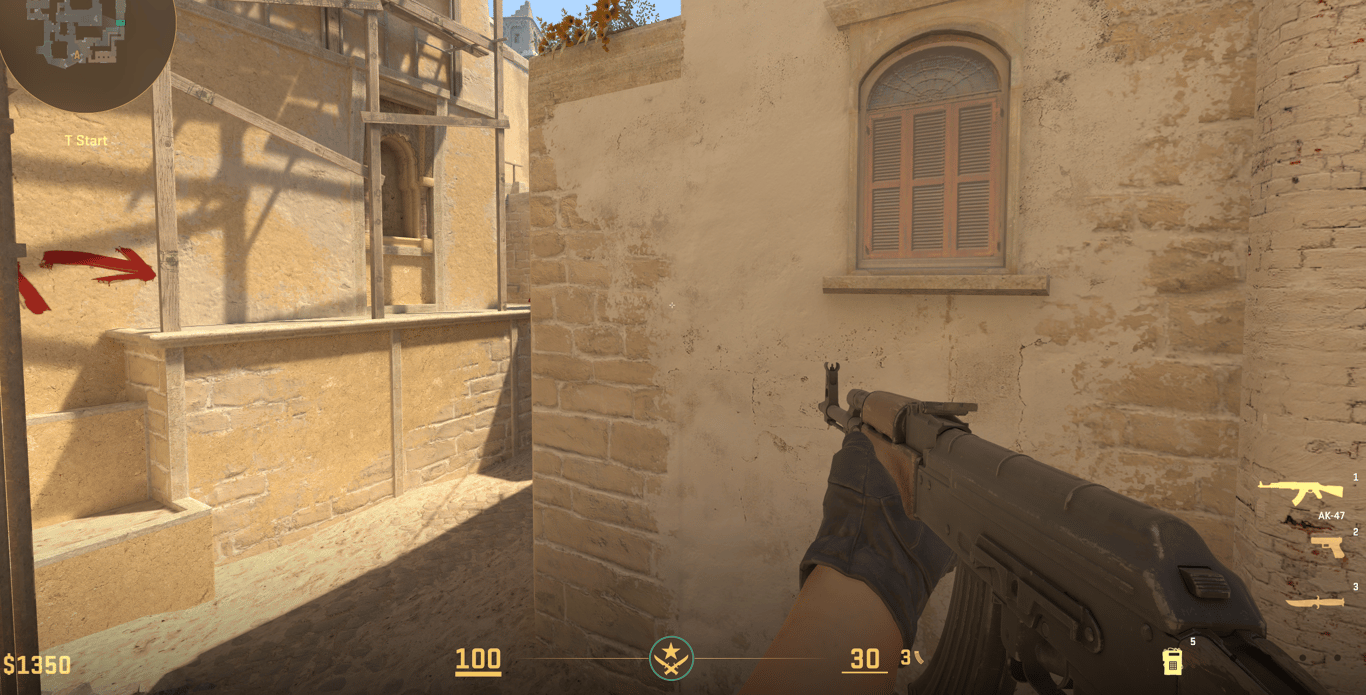
Console commands:
viewmodel_fov 68; viewmodel_offset_x 2.5; viewmodel_offset_y 0; viewmodel_offset_z -1.5; viewmodel_presetpos 2
ZywOo Video Settings
Setting | Value |
|---|
Resolution | 1280×960 |
Aspect Ratio | 4:3 Stretched |
Display Mode | Fullscreen |
Brightness | 93% |
Boost Player Contrast | Enabled |
V-Sync | Disabled |
NVIDIA Reflex Low Latency | Enabled |
Max FPS In Game | 400 |
Anti-Aliasing | 4x MSAA |
Global Shadow Quality | High |
Dynamic Shadows | All |
Model / Texture Detail | High |
Texture Filtering | Anisotropic 4x |
Shader Detail | High |
Particle Detail | High |
Ambient Occlusion | Medium |
High Dynamic Range | Quality |
FidelityFX Super Resolution | Disabled |
ZywOo is one of the few pros who keeps most graphic settings on High, suggesting his high-end rig (RTX 5080) can comfortably handle the load without sacrificing frames.
ZywOo Launch Options
-novid -tickrate 128 -allow_third_party_software
NiKo CS2 Settings 2026 (Falcons Esports)
Nikola "NiKo" Kovač is a Bosnian rifler regarded as one of the technically most gifted players in Counter-Strike history. He is currently with Falcons Esports and is known for his precision AK and Deagle plays (except that major moment on Nuke ofc).
NiKo Viewmodel
Setting | Value |
|---|
FOV | 68 |
Offset X | 1 |
Offset Y | 0.5 |
Offset Z | -1.5 |
Presetpos | 0 |
Console commands:
viewmodel_fov 68; viewmodel_offset_x 1; viewmodel_offset_y 0.5; viewmodel_offset_z -1.5; viewmodel_presetpos 0
NiKo Video Settings
Setting | Value |
|---|
Resolution | 1280×960 |
Aspect Ratio | 4:3 Stretched |
Display Mode | Fullscreen |
Brightness | 93% |
Boost Player Contrast | Disabled |
V-Sync | Disabled |
NVIDIA Reflex Low Latency | Disabled |
Max FPS In Game | 999 |
Anti-Aliasing | 8x MSAA |
Global Shadow Quality | High |
Dynamic Shadows | All |
Model / Texture Detail | Low |
Texture Filtering | Trilinear |
Shader Detail | Low |
Particle Detail | Low |
Ambient Occlusion | Disabled |
High Dynamic Range | Quality |
FidelityFX Super Resolution | Disabled |
NiKo drops most details to Low to maximize FPS, but keeps shadows on High — a common trade-off among riflers who rely on peripheral vision and player outlines.
NiKo Launch Options
NiKo does not use any launch options.
s1mple CS2 Settings 2026
Oleksandr "s1mple" Kostyliev is the most decorated individual player in Counter-Strike history, with multiple HLTV #1 awards, a Major title, and an Intel Grand Slam to his name. His settings have inspired millions of players worldwide.
s1mple Viewmodel
Setting | Value |
|---|
FOV | 68 |
Offset X | 2.5 |
Offset Y | 0 |
Offset Z | -1.5 |
Presetpos | 2 |
Console commands:
viewmodel_fov 68; viewmodel_offset_x 2.5; viewmodel_offset_y 0; viewmodel_offset_z -1.5; viewmodel_presetpos 2
s1mple Video Settings
Setting | Value |
|---|
Resolution | 1280×960 |
Aspect Ratio | 4:3 Stretched |
Display Mode | Fullscreen |
Brightness | 110% |
Boost Player Contrast | Disabled |
V-Sync | Disabled |
NVIDIA Reflex Low Latency | Disabled |
Max FPS In Game | 0 (Unlimited) |
Anti-Aliasing | 8x MSAA |
Global Shadow Quality | High |
Dynamic Shadows | All |
Model / Texture Detail | Low |
Texture Filtering | Bilinear |
Shader Detail | Low |
Particle Detail | Low |
Ambient Occlusion | Disabled |
High Dynamic Range | Quality |
FidelityFX Super Resolution | Disabled |
s1mple cranks brightness to 110% — noticeably higher than most pros — likely to improve visibility in dark map corners.
s1mple Launch Options
-freq 360 -novid -console +fps_max 999
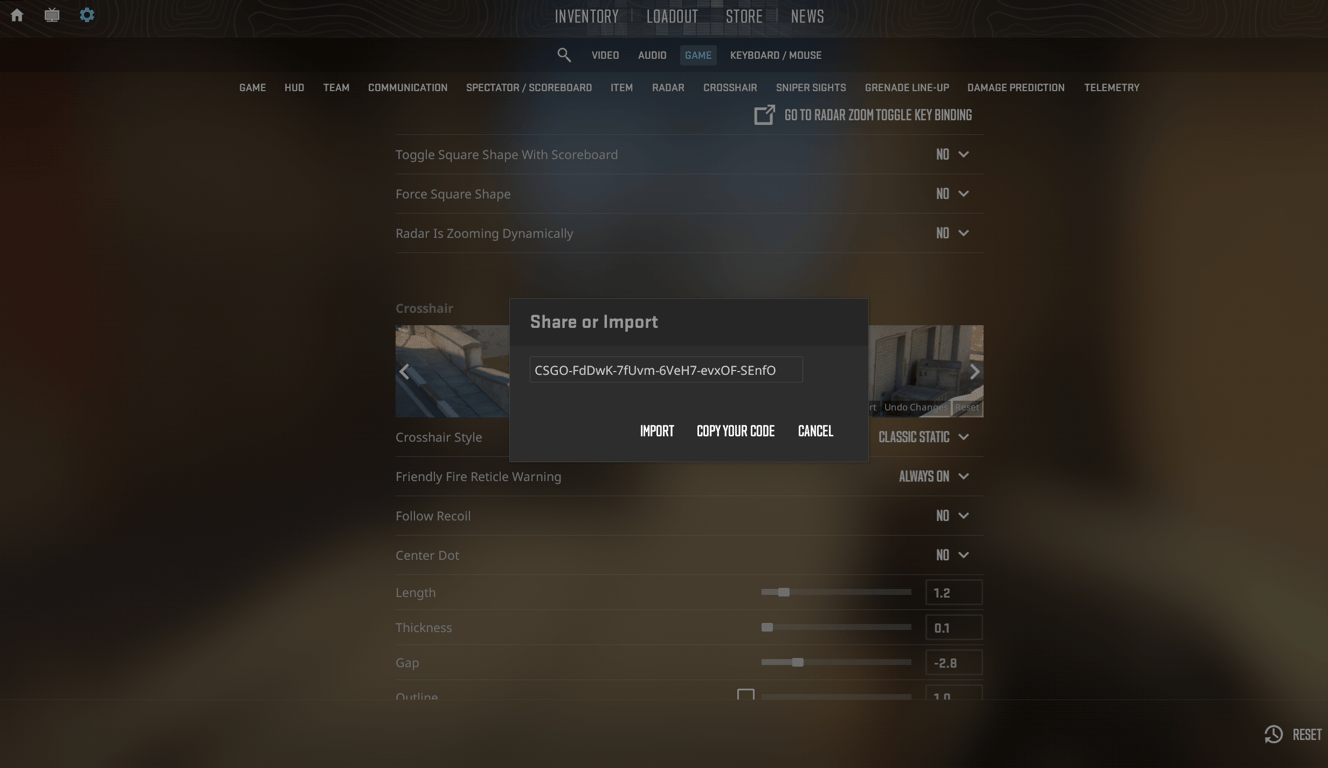
s1mple's crosshair code:
donk CS2 Settings 2026 (Team Spirit) {#donk}
Danil "donk" Kryshkovets is the youngest and arguably most hyped player in current CS2. Born in 2007, he took the scene by storm with Team Spirit and quickly became the most searched CS2 player in the world for his extraordinary natural talent.
donk Viewmodel
Setting | Value |
|---|
FOV | 68 |
Offset X | 2.5 |
Offset Y | 0 |
Offset Z | -1.5 |
Presetpos | 1 |
Console commands:
viewmodel_fov 68; viewmodel_offset_x 2.5; viewmodel_offset_y 0; viewmodel_offset_z -1.5; viewmodel_presetpos 1
donk Video Settings
Setting | Value |
|---|
Resolution | 1280×960 |
Aspect Ratio | 4:3 Stretched |
Display Mode | Fullscreen |
Brightness | 93% |
Boost Player Contrast | Enabled |
V-Sync | Disabled |
NVIDIA Reflex Low Latency | Disabled |
Max FPS In Game | 600 |
Anti-Aliasing | 8x MSAA |
Global Shadow Quality | High |
Dynamic Shadows | All |
Model / Texture Detail | Low |
Texture Filtering | Bilinear |
Shader Detail | Low |
Particle Detail | Low |
Ambient Occlusion | Disabled |
High Dynamic Range | Quality |
FidelityFX Super Resolution | Disabled |
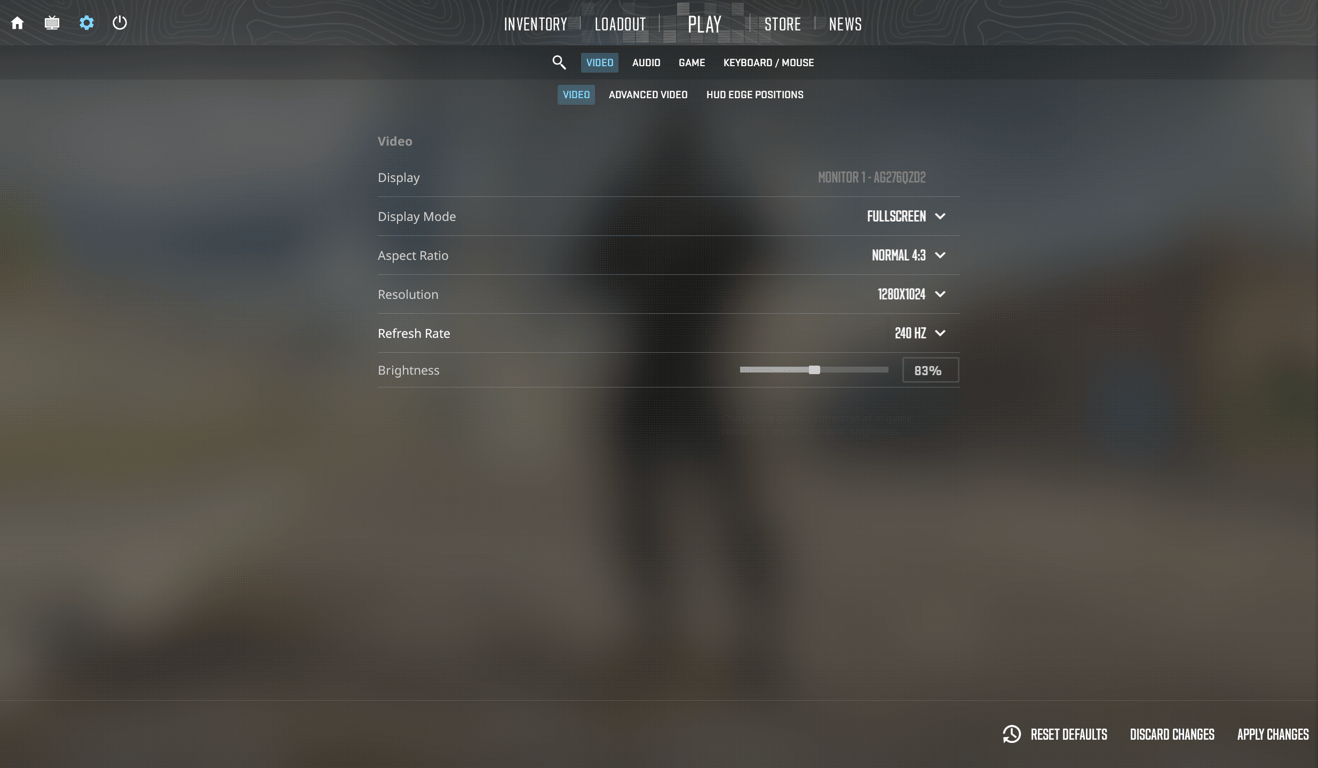
donk Launch Options
donk does not use any launch options.
ropz CS2 Settings 2026 (Team Vitality)
Robin "ropz" Kool is an Estonian rifler for Team Vitality and ZywOo's teammate. He ranked 3rd in HLTV's annual player rankings in both 2023 and 2025, making him one of the most consistent top-tier players in the scene. ropz is notable for playing on native 16:9 resolution — a rarity among top pros.
ropz Viewmodel
Setting | Value |
|---|
FOV | 68 |
Offset X | 2.5 |
Offset Y | 0 |
Offset Z | -1.5 |
Presetpos | 2 |
Console commands:
viewmodel_fov 68; viewmodel_offset_x 2.5; viewmodel_offset_y 0; viewmodel_offset_z -1.5; viewmodel_presetpos 2
ropz Video Settings
Setting | Value |
|---|
Resolution | 1920×1080 |
Aspect Ratio | 16:9 Native |
Display Mode | Fullscreen |
Brightness | 93% |
Boost Player Contrast | Enabled |
V-Sync | Disabled |
NVIDIA Reflex Low Latency | Enabled |
Max FPS In Game | 999 |
Anti-Aliasing | 2x MSAA |
Global Shadow Quality | Low |
Dynamic Shadows | All |
Model / Texture Detail | Low |
Texture Filtering | Bilinear |
Shader Detail | Low |
Particle Detail | Low |
Ambient Occlusion | Medium |
High Dynamic Range | Quality |
FidelityFX Super Resolution | Disabled |
ropz is the standout here — 1920×1080 on native 16:9 gives him a wider field of view and more on-screen information compared to 4:3 players, at the cost of slightly smaller player models.
ropz Launch Options
ropz does not use any launch options.
b1t CS2 Settings 2026 (Natus Vincere)
Valerii "b1t" Vakhovskyi is a Ukrainian rifler for Natus Vincere — one of the most legendary organizations in esports history. At just 23, he already holds two Major titles (PGL Stockholm 2021 in CS:GO and PGL Copenhagen 2024 in CS2), making him one of the few players to win Majors in both games. Natus Vincere (NAVI) is a long-time partner of white.market, one of the best CS2 skin trading platforms available today.
b1t Viewmodel
Setting | Value |
|---|
FOV | 68 |
Offset X | 2.5 |
Offset Y | 0 |
Offset Z | -1.5 |
Presetpos | 2 |
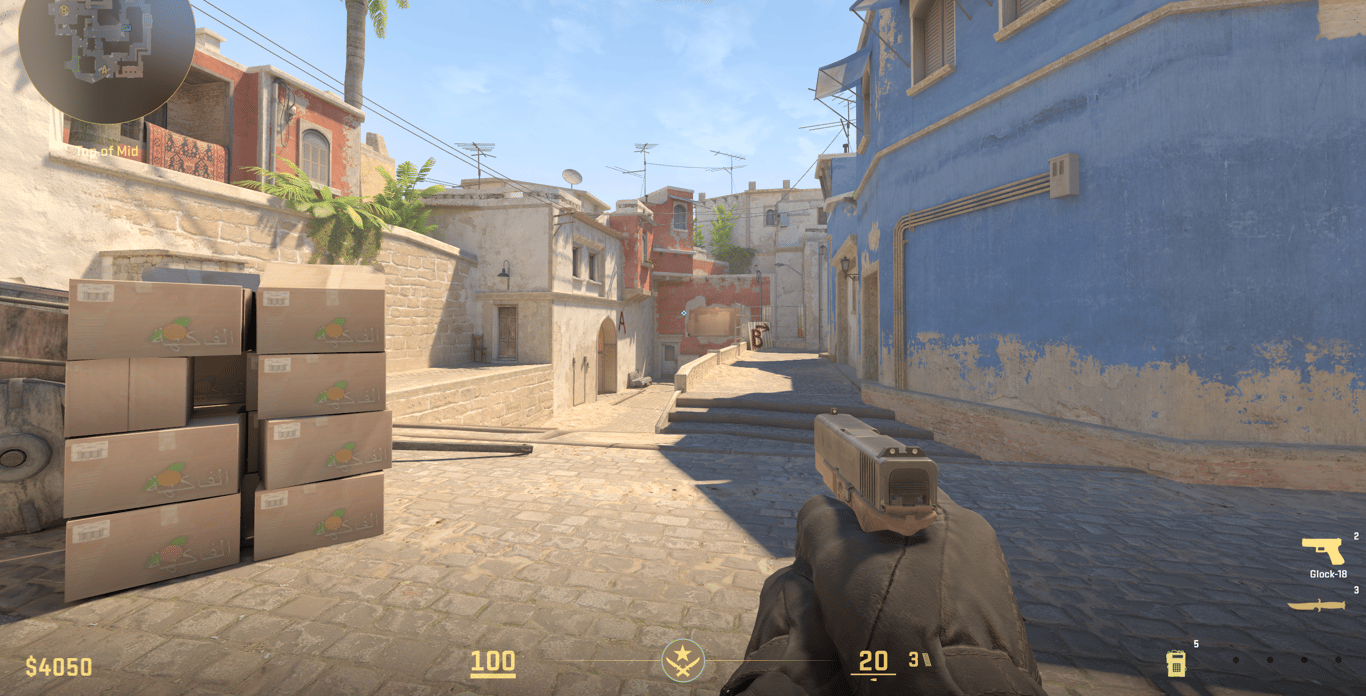
Console commands:
viewmodel_fov 68; viewmodel_offset_x 2.5; viewmodel_offset_y 0; viewmodel_offset_z -1.5; viewmodel_presetpos 2
b1t Video Settings
Setting | Value |
|---|
Resolution | 1280×960 |
Aspect Ratio | 4:3 Stretched |
Display Mode | Fullscreen |
Brightness | 93% |
Anti-Aliasing | 8x MSAA |
Model / Texture Detail | Low |
Texture Filtering | Bilinear |
Shader Detail | Low |
Ambient Occlusion | High |
FidelityFX Super Resolution | Disabled |
b1t Launch Options
-freq 360 -console -tickrate 128 -novid -rate 786432
Pro Settings Comparison Table
Player | Resolution | Aspect Ratio | Viewmodel Presetpos | Launch Options |
|---|
ZywOo | 1280×960 | 4:3 Stretched | 2 | -novid -tickrate 128 -allow_third_party_software
|
NiKo | 1280×960 | 4:3 Stretched | 0 | None |
s1mple | 1280×960 | 4:3 Stretched | 2 | -freq 360 -novid -console +fps_max 999
|
donk | 1280×960 | 4:3 Stretched | 1 | None |
ropz | 1920×1080 | 16:9 Native | 2 | None |
b1t | 1280×960 | 4:3 Stretched | 2 | -freq 360 -console -tickrate 128 -novid -rate 786432
|
Key takeaways:
Five out of six pros play on 4:3 stretched 1280×960 — player models appear wider, which many find easier to click on.
Viewmodel FOV 68 is universal across all six players.
Most pros disable V-Sync and run the game at uncapped or very high FPS.
-novid (skips intro) and -tickrate 128 (better offline server simulation) are the most commonly shared launch options.
CS2 Skins: How Pros Dress Their Loadouts
Settings are only half the equation — the other half is how these players' loadouts look. Every pro mentioned in this guide uses high-tier skins during matches and streams. ZywOo pairs his AWP with a StatTrak™ AWP | Queen's Gambit, s1mple is known for his iconic AWP Dragon Lore and StatTrak M4A4 Howl, and NiKo favors the AK-47 Redline with a Butterfly Knife Doppler Sapphire.
Skins have no gameplay effect, but they're a huge part of CS2 culture, and watching pros play makes most people want to match their style.
How to Get CS2 Skins Without Overpaying
If you want to pick up any of these skins without spending Steam Market prices, white.market is worth a look. It's a peer-to-peer CS2 marketplace trusted by millions of users globally, and it consistently offers lower prices than the Steam Community Market. Key advantages include:
Competitive pricing — skins often list for significantly less than on Steam, since sellers set their own prices in a competitive environment
Wide inventory — from entry-level skins to rare knives and gloves used by pros like b1t, s1mple, and Aleksib
Safe and secure transactions — millions of users rely on the platform daily
Fast withdrawals — items land in your Steam inventory quickly after purchase
FAQ
What resolution do most CS2 pros play on?
The large majority of professional CS2 players use 1280×960 on a 4:3 aspect ratio with stretched scaling. The stretched display makes player models slightly wider, which many players feel makes targets easier to hit. ropz is a notable exception, using native 1920×1080 on 16:9.
What viewmodel FOV do CS2 pros use?
68 is the standard viewmodel FOV across virtually all professional CS2 players, including every player covered in this guide. It positions the weapon model slightly away from the screen center, balancing visibility and awareness.
What does -novid do in CS2 launch options?
The -novid flag skips the Valve intro video when you launch CS2, saving a few seconds every time you open the game. It's one of the most universally used launch options among pros.
What does -tickrate 128 do?
When added to launch options, -tickrate 128 makes offline/bot servers run at 128 tick instead of the default 64. This improves the feel of aim training maps and practice sessions. Valve's official matchmaking runs on its own tick system, so this doesn't change online play.
Why do pros play on 4:3 stretched?
The stretched aspect ratio has been standard in competitive CS since the CS:GO era. Stretched 4:3 makes player model widths appear larger, which can make peeking targets easier to spot and click. It also reduces the graphical workload, pushing more FPS on high-refresh-rate monitors.
Does copying pro settings improve my aim?
Settings provide the correct "input environment" for your aim, but they don't replace practice. Using the same viewmodel as ZywOo won't replicate his mechanics — but it removes technical disadvantages that could otherwise hold you back. Start with standard settings (FOV 68, 4:3 stretched, low details) and adjust from there.
What are the best CS2 skins used by pros?
Popular pro skins include the AWP Dragon Lore (s1mple), AWP Gungnir (ZywOo), AK-47 Gold Arabesque (ZywOo), AK-47 | Fire Serpent (NiKo, donk), M4A1-S Printstream (ZywOo, NiKo), and Butterfly Knife Doppler Sapphire. These skins are available on marketplaces like white.market, often at prices below the Steam Community Market.
How do I apply settings in CS2?
Open CS2, go to Settings → Game, and input your desired values in the viewmodel section. For launch options, right-click CS2 in your Steam Library → Properties → Launch Options, then type the desired flags separated by spaces. Video settings are in Settings → Video.