One of the biggest features added in the IEM Cologne 2026 Major update is the ability to convert any regular skin in your CS2 inventory into a souvenir skin. No more waiting to get lucky with a souvenir package drop — you can now take a skin you already own, pick a match from the ongoing Major, and turn it into a genuine souvenir with gold team stickers and a player autograph. Here's exactly how it works.
What Is the Souvenir-O-Matic?
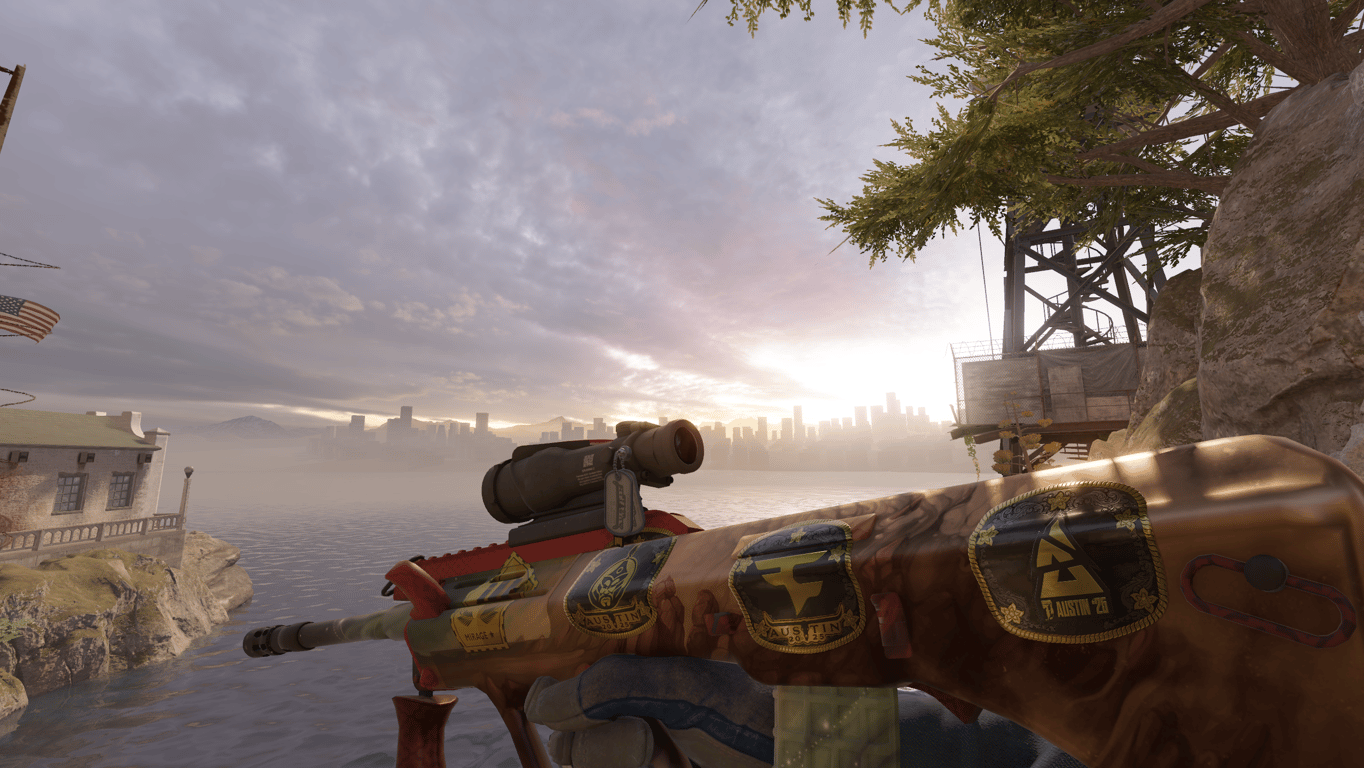
The Souvenir-O-Matic is a new CS2 feature introduced alongside IEM Cologne 2026 that lets you apply souvenir attributes to any eligible skin in your inventory. The result is a proper souvenir skin — complete with gold stickers for both competing teams, the map the match was played on, and the autograph of a player you select from that match.
This is the first time in CS2 history that souvenir skins can be created from skins you already own, rather than being exclusively obtained through random drops during live matches.
What You Need Before You Start
Before using the Souvenir-O-Matic, you need one thing:
Tokens — the in-game currency introduced with the Cologne 2026 Major update. Tokens are used to pay for the souvenir conversion directly. The cost depends on the rarity of the skin you're converting and the demand for the specific gold stickers from the match you select.
Tokens can be purchased in the Major Shop at checkout — the minimum bundle is 100 tokens for $0.99. You do not need a Viewer Pass to use the Souvenir-O-Matic — the feature is accessible to all players who have tokens.
Step-by-Step: How to Use Souvenir-O-Matic
Step 1 — Open the Major Hub
Launch CS2 and go to the main menu. The IEM Cologne 2026 Major Hub is accessible directly from there. This is where you manage your Viewer Pass, Pick'Em predictions, coin upgrades, and the new Major Shop — including the Souvenir-O-Matic.
Step 2 — Get Tokens
Tokens are the only currency needed for the Souvenir-O-Matic. There are two ways to get them:
Buy tokens directly — tokens are purchased at checkout in the Major Shop when your balance runs low. The minimum bundle starts at 100 tokens for $0.99. This is the fastest route if you want to use Souvenir-O-Matic without playing Pick'Em.
Earn tokens through Pick'Em — if you have a Cologne 2026 Viewer Pass, you can earn free tokens by playing the Pick'Em Challenge. Make predictions on match outcomes across all stages of the Major. Each correct pick upgrades your coin from Bronze through Silver, Gold, and Diamond — and every upgrade rewards 300 tokens. This is the most cost-effective way to accumulate tokens if you plan to make multiple conversions.
Either way, you only need tokens to proceed — the Viewer Pass is optional.
Step 3 — Navigate to Souvenir-O-Matic
Inside the Major Hub or directly through your CS2 inventory, select the skin you want to convert. The Souvenir-O-Matic option will appear for eligible skins. Select it to begin the conversion process.
Step 4 — Choose a Match
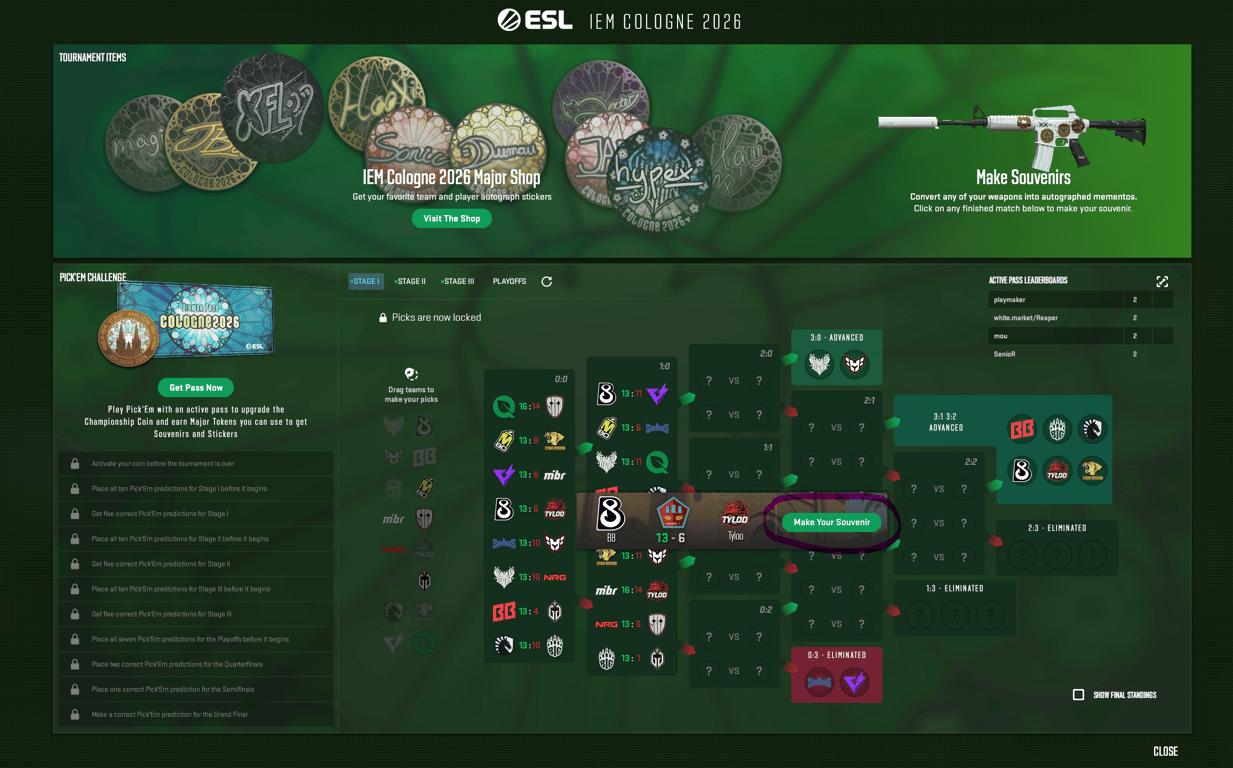
You'll be presented with a list of matches that have already been played during the current Major. Select the match whose stickers you want applied to your skin. The gold stickers from that match — both team logos and the map — will be attached to your weapon.
The match you choose directly affects the token cost. Matches featuring highly popular teams or star players carry more expensive gold stickers, which raises the conversion cost. A match with lower-profile teams will cost significantly fewer tokens.
Step 5 — Choose a Player Autograph
After selecting a match, you choose one player from that game whose gold autograph will be applied to the skin. Again, the popularity of the player affects the cost — a gold autograph from one of the most watched players in the tournament will push the price up considerably compared to a less prominent player's signature.
This is where demand-based pricing matters most. If you're converting for investment value, a high-profile player's autograph from a meaningful match will carry more prestige and resale appeal. If you're converting for personal use or budget, choosing a less popular match and player keeps the token cost manageable.
Step 6 — Review the Cost and Confirm
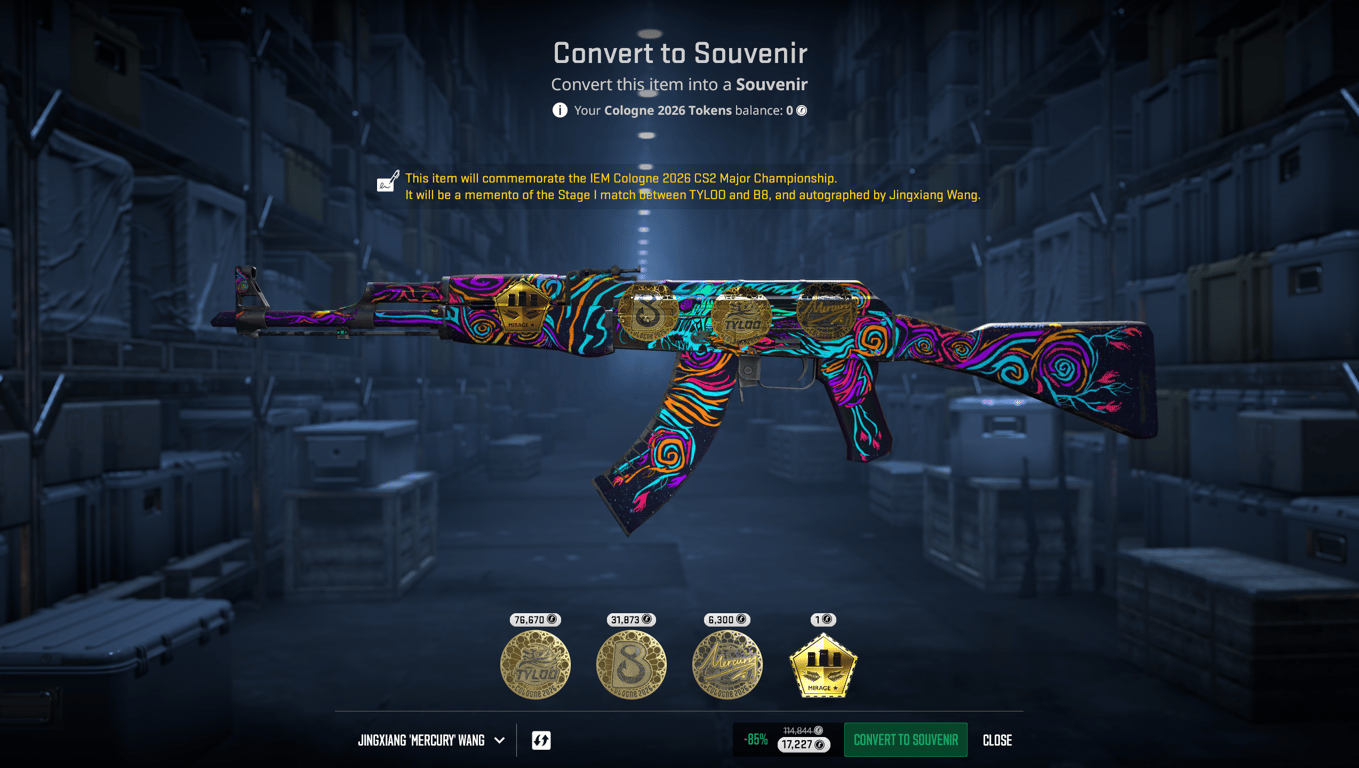
Before confirming, the Souvenir-O-Matic shows you the exact token cost for the conversion based on your chosen skin, match, and player. Review everything carefully — this action is permanent.
Once confirmed, your skin is instantly converted to souvenir status with all four gold stickers applied: the two team logos, the map sticker, and the player autograph you selected.
Important Rules and Limitations
No StatTrak skins. StatTrak and Souvenir are mutually exclusive in CS2. The Souvenir-O-Matic only works on normal quality skins — you cannot convert a StatTrak weapon.
Existing stickers are removed. If your skin already has stickers applied, they will be permanently destroyed in the conversion process. The four souvenir gold stickers replace everything. Make sure the skin you're converting doesn't have valuable stickers on it before you proceed.
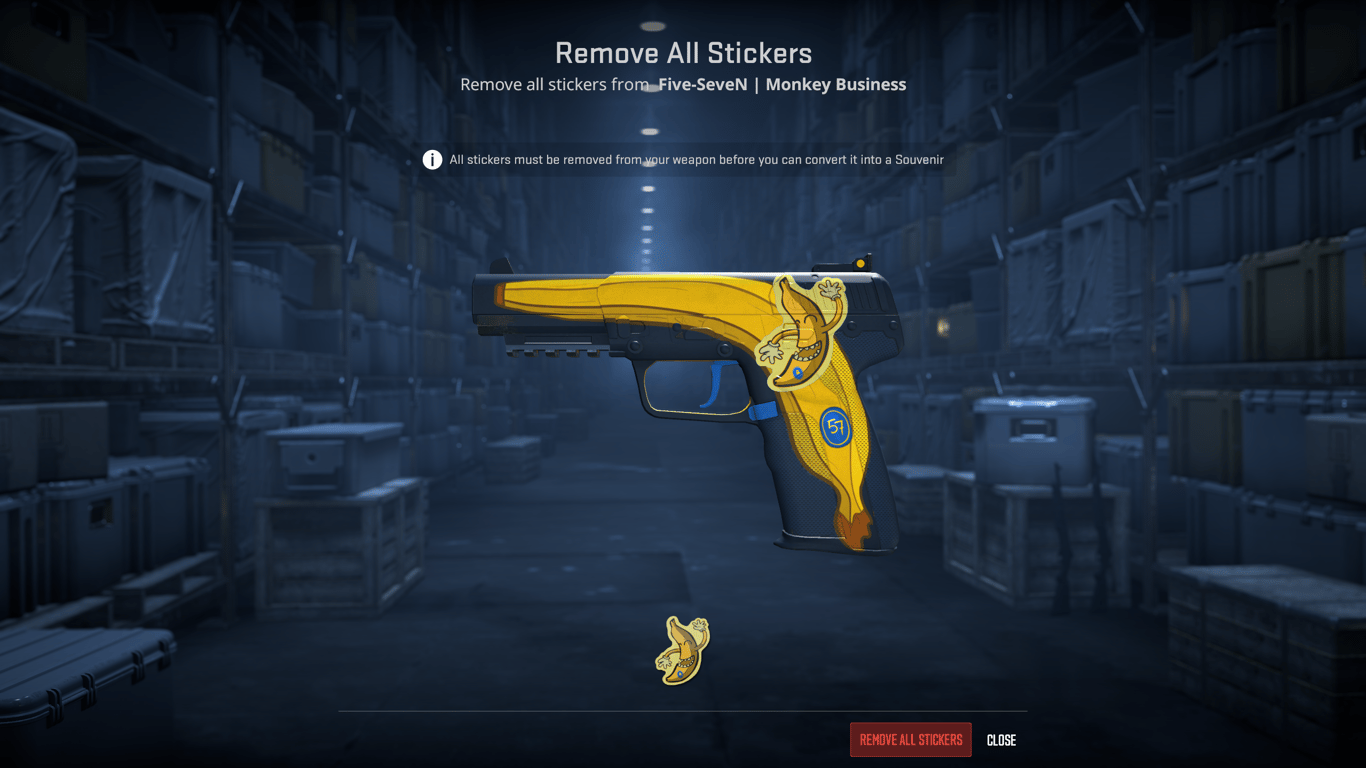
The conversion is permanent. There is no way to reverse a souvenir conversion once confirmed. The skin becomes a souvenir item with those specific stickers forever.
Only played matches are available. You can only select matches that have already been completed during the current Major. You cannot pre-select a future match.
The skin itself does not change. The float, pattern index, and finish of your skin remain exactly the same after conversion. Only the souvenir designation and gold stickers are added.
How Token Cost Is Calculated
The Souvenir-O-Matic uses the same dynamic demand-based pricing system as the rest of the Major Shop. Two factors determine the token cost of your conversion:
The rarity of the base weapon — higher rarity skins cost more tokens to convert than lower rarity skins.
The demand for the specific gold stickers — this is driven entirely by community interest in the teams and players from the match you select. A match featuring the most popular players at peak tournament viewership will have the most expensive gold stickers. A group stage match between lower-seeded teams will be considerably cheaper.
Prices refresh periodically in batches rather than in real time. The shop displays a warning when a price refresh is about to occur, giving you a moment to lock in your conversion at the current cost if you prefer.
Is It Worth Converting a Skin to Souvenir?
It depends entirely on your goal.
For collecting and prestige — yes, especially if you can attach gold stickers from a memorable match. A souvenir skin from a Grand Final, featuring the tournament winner's gold autograph, carries genuine collectible value that a regular skin simply cannot match.
For trade-up strategy — the May 2026 update also made souvenir skins eligible for trade-up contracts. This means a converted souvenir skin from the right collection can serve as trade-up fuel toward a higher-tier item. For collections with valuable coverts at the top of the chain — like the Cobblestone Collection (home of the AWP Dragon Lore) — converting and then trading up is an emerging strategy worth understanding.
For profit — this requires careful math. The cost of your tokens plus the base skin value needs to be less than what the finished souvenir skin will sell for. High-profile match stickers from major upsets or the Grand Final tend to produce souvenir skins that retain value well. Generic group stage stickers are less likely to cover your token cost on resale.
For personal enjoyment — sometimes you just want your favourite skin to carry a piece of tournament history. That's a completely valid reason to use the Souvenir-O-Matic and doesn't require a financial justification.
Where to Buy and Sell Souvenir Skins
If you'd rather buy a skin for converting it into a souvenir, or if you want to sell a souvenir skin you've converted, white.market is one of the best platforms for both in 2026.
Prices are consistently lower than the Steam Community Market — particularly relevant for souvenir skins, where the gap between Steam and third-party pricing can be significant
Large inventory of souvenir skins across multiple collections and Major events
Fast withdrawals — funds accessible quickly after a completed sale
Trusted by millions of CS2 players worldwide — important for higher-value souvenir transactions
Price history tracking — useful for understanding how souvenir skin values have moved since the update and timing your purchases or sales accordingly
FAQ
How do I turn a regular CS2 skin into a souvenir?
You need to open IEM Cologne 2026 Viewer Pass and use tokens earned through Pick'Em coin upgrades or purchased directly. Open the Major Hub, select the skin you want to convert, choose a played match and a player from that match, review the token cost, and confirm. The skin is instantly converted to souvenir status with four gold stickers applied.
Do I need a Viewer Pass to use Souvenir-O-Matic?
No. The Viewer Pass is not required. Any CS2 player can use the Souvenir-O-Matic by purchasing tokens directly in the Major Shop. The Viewer Pass is only needed if you want to participate in the Pick'Em Challenge and earn tokens for free through correct predictions.
How do I earn tokens for the Souvenir-O-Matic?
Tokens are earned primarily through Pick'Em coin upgrades — each upgrade from Bronze to Diamond rewards 300 tokens. They can also be purchased directly in the Major Shop at checkout, starting at 100 tokens for $0.99.
What is the Pick'Em Challenge in CS2?
Pick'Em is a prediction game within the Major Hub where you forecast match and tournament outcomes across all stages of the Major. Correct predictions upgrade your Cologne 2026 Coin through Bronze, Silver, Gold, and Diamond tiers. Each upgrade gives you tokens to spend in the Major Shop.
Can I convert a StatTrak skin using Souvenir-O-Matic?
No. StatTrak and Souvenir are mutually exclusive. Only normal-quality skins are eligible for souvenir conversion.
What happens to existing stickers when I use Souvenir-O-Matic?
All existing stickers on the skin are permanently destroyed during the conversion. The four souvenir gold stickers — two team logos, map, and player autograph — replace them entirely. Do not convert a skin that has valuable stickers already applied.
Can I pick any match for my souvenir skin?
You can only select matches that have already been played during the current Major. Future matches are not available as options until after they are completed.
Does converting a skin change its float or pattern?
No. The float value and pattern index of the skin remain exactly the same after conversion. Only the souvenir designation and gold stickers are added — the base skin is otherwise unchanged.
Why does the Souvenir-O-Matic cost different amounts for different matches?
The token cost is determined by two factors: the rarity of the skin you're converting and the demand for the specific gold stickers from your chosen match. Popular teams and star players have more expensive gold stickers. Prices refresh periodically based on community demand.
Can souvenir skins created with Souvenir-O-Matic be used in trade-ups?
Yes — as of the May 2026 update, souvenir skins are eligible for trade-up contracts. The souvenir attributes are removed in the process and the output is a normal quality skin of a higher grade. This makes Souvenir-O-Matic conversions potentially useful as trade-up inputs, particularly for collections with high-value coverts at the top of the chain.
Is there a way to undo a Souvenir-O-Matic conversion?
No. The conversion is permanent and cannot be reversed. Always double-check your selected match, player, and skin before confirming.
When does the Souvenir-O-Matic stop working?
The Souvenir-O-Matic is only available till the IEM Cologne 2026 Major Pass is available in-game. Future Majors are expected to have their own version of the feature.