In Counter-Strike 2, skins are more than cosmetic items. Each skin has hidden attributes that affect its appearance, rarity, and market value. One of the most important attributes is float value.
Understanding how CS2 skin float works helps players and traders:
This guide explains how CS2 float values work, how they affect skin prices, and how to check wear ratings before buying. On white.market, players can inspect float information directly in available skin listings.
What Is Float in CS2? Skin Wear Rating Explained
Float value (also called wear rating) is a numerical indicator that determines how worn a skin appears in Counter-Strike 2. Every weapon skin receives a float value when it is generated. The overall scale runs from 0.00 to 1.00, but individual finishes may have narrower minimum and maximum float limits. Lower float values represent cleaner skins, while higher values indicate more visible wear. Example float values:
Float Value | Skin Appearance |
|---|
0.01 | Nearly perfect condition |
0.08 | Slight wear |
0.20 | Moderate wear |
0.45 | Heavy wear |
0.90 | Extremely worn |
Even two identical skins can have different float values, meaning every item in CS2 is technically unique.
This system is a core element of the CS2 skin economy.
CS2 Float Ranges: All Five Skin Wear Levels
Float values are grouped into five wear categories used in inventories and marketplaces.
Factory New (0.00 – 0.07)
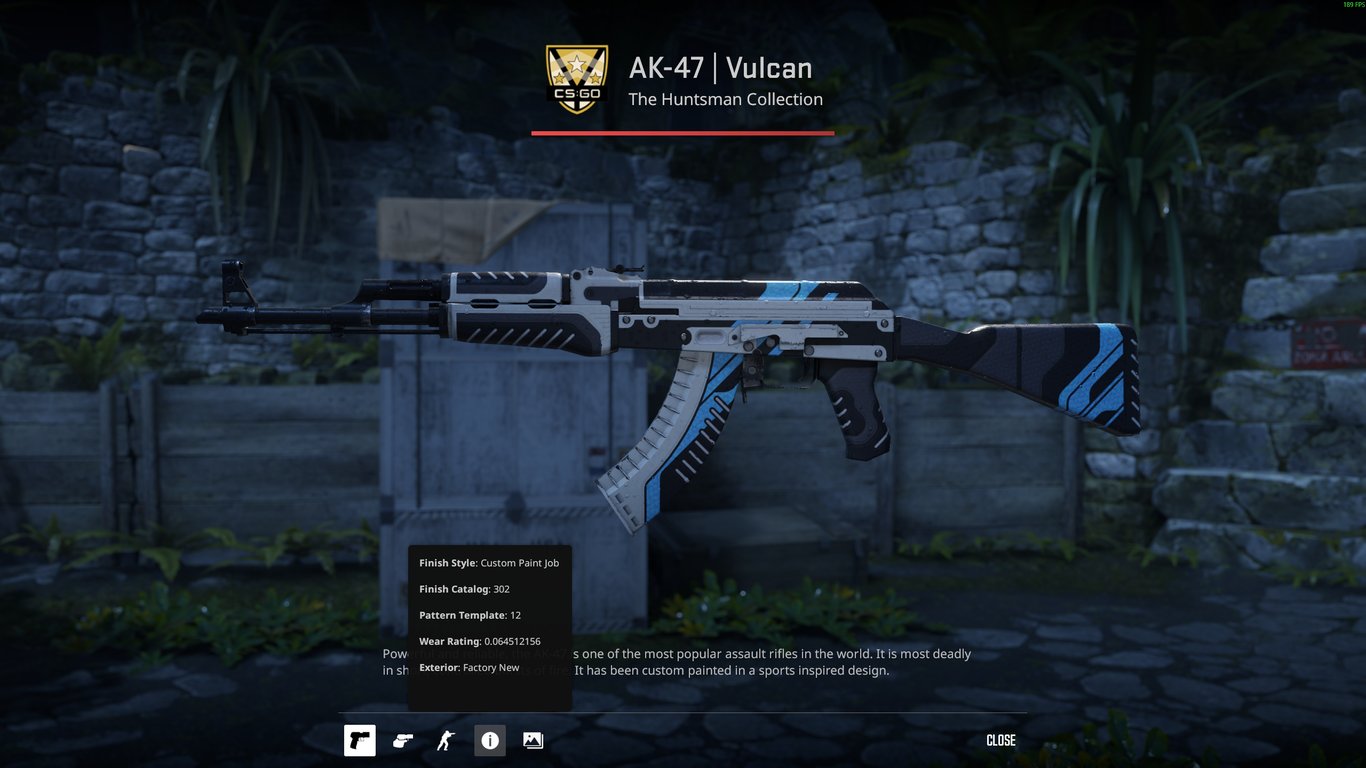
Factory New skins show almost no wear.
Characteristics:
bright colors
minimal scratches
clean paint
Factory New skins usually have the highest market value.
Minimal Wear (0.07 – 0.15)
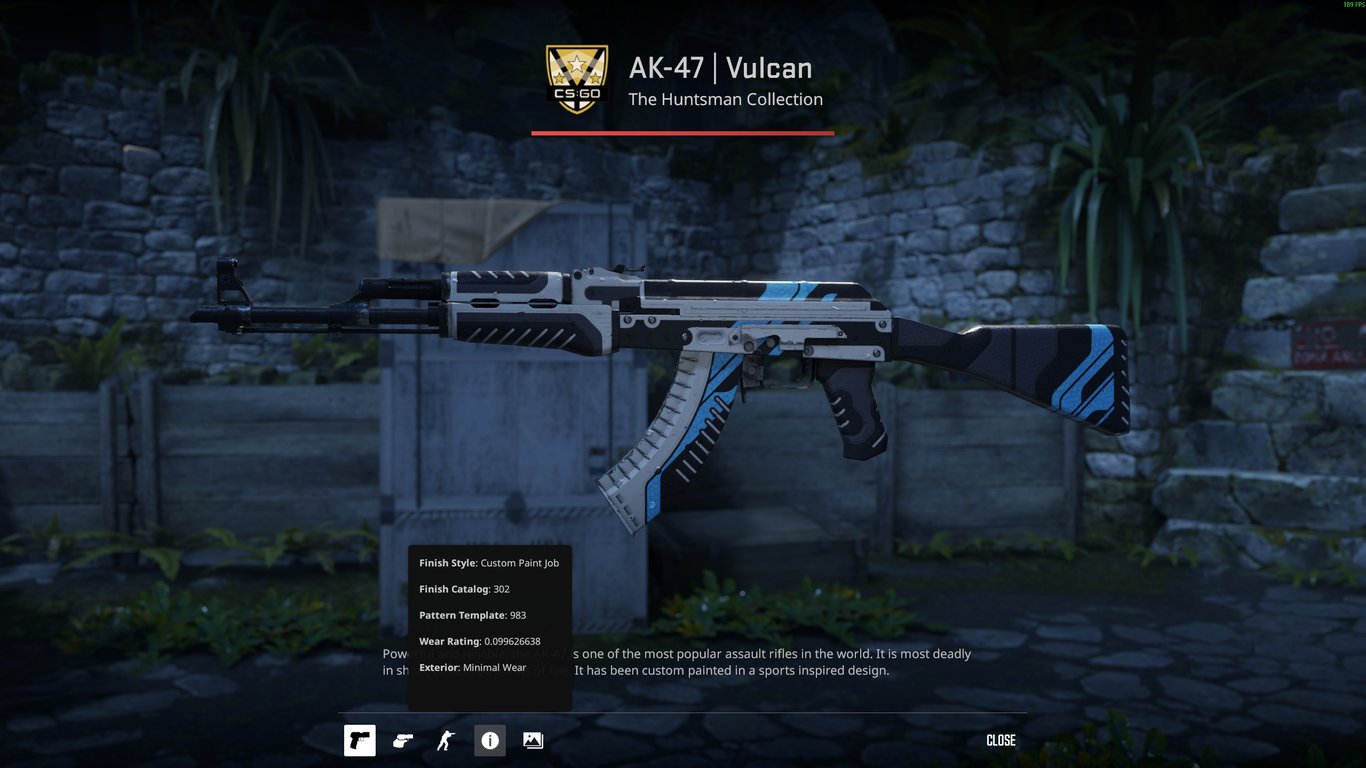
Minimal Wear skins have small signs of wear, but still look very clean.
Characteristics:
minor scratches
slight fading
vibrant colors
Many players choose this category because it offers good visual quality at a lower price than Factory New.
Field-Tested (0.15 – 0.38)
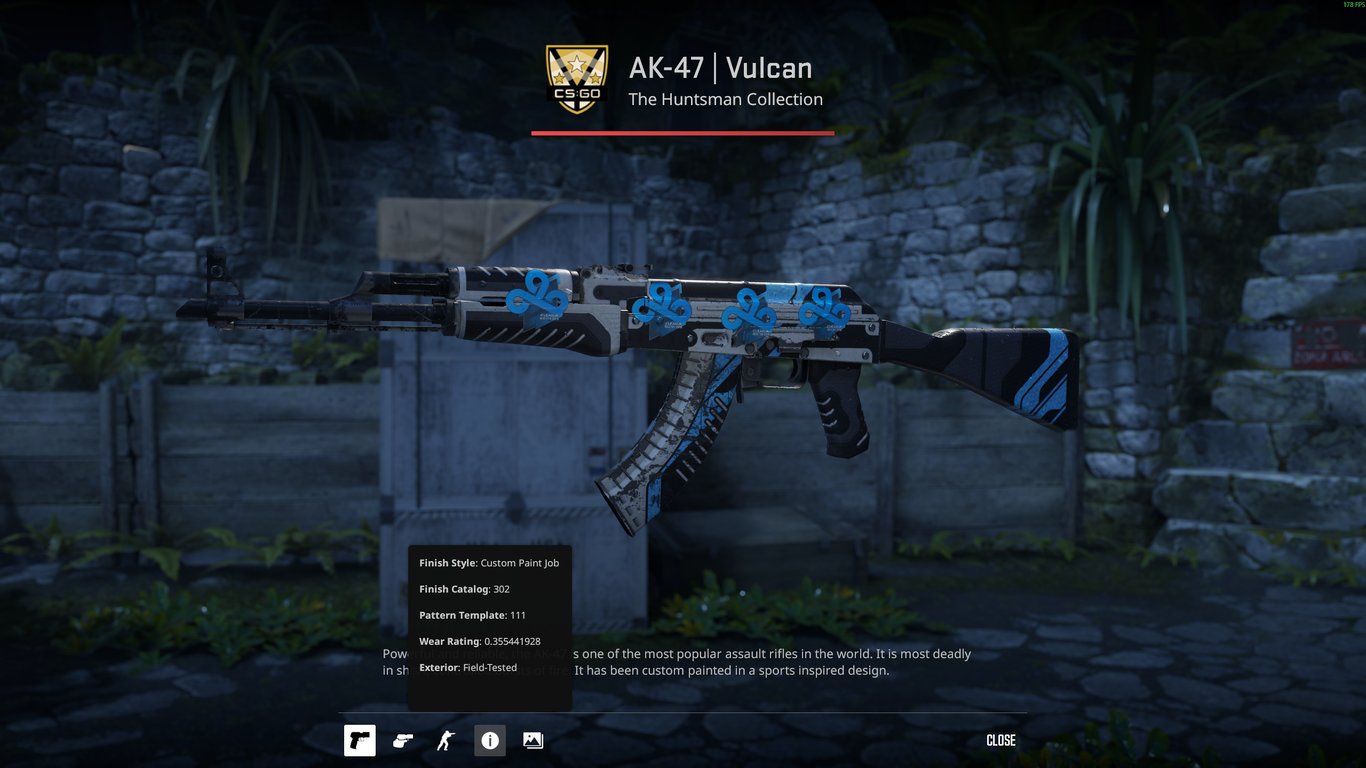
Field-Tested skins show noticeable wear.
Characteristics:
visible scratches
faded textures
moderate damage
Because they are common, these skins typically have lower prices.
Well-Worn (0.38 – 0.45)
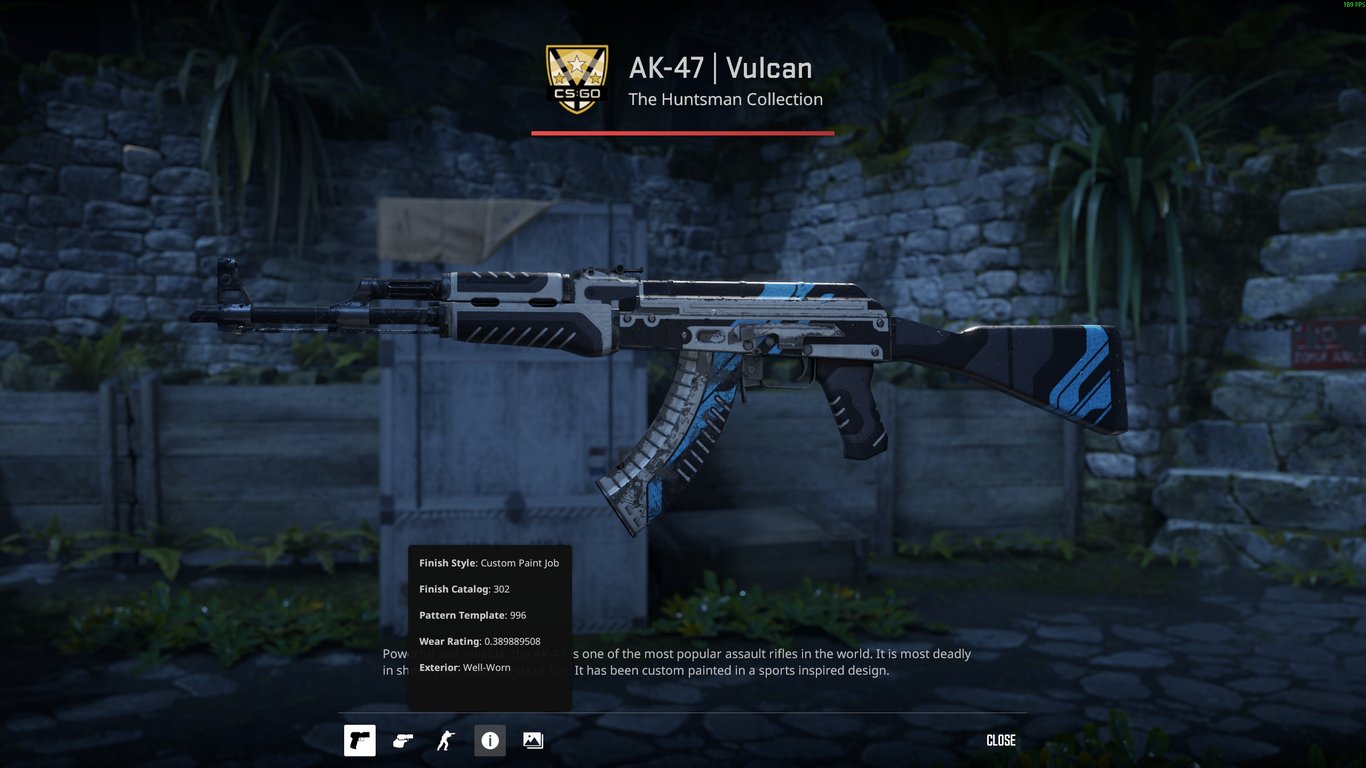
Well-Worn skins show heavy use.
Characteristics:
large scratches
dull paint
visible wear patterns
Collectors rarely prioritize this category unless the skin itself is rare.
Battle-Scarred (0.45 – 1.00)
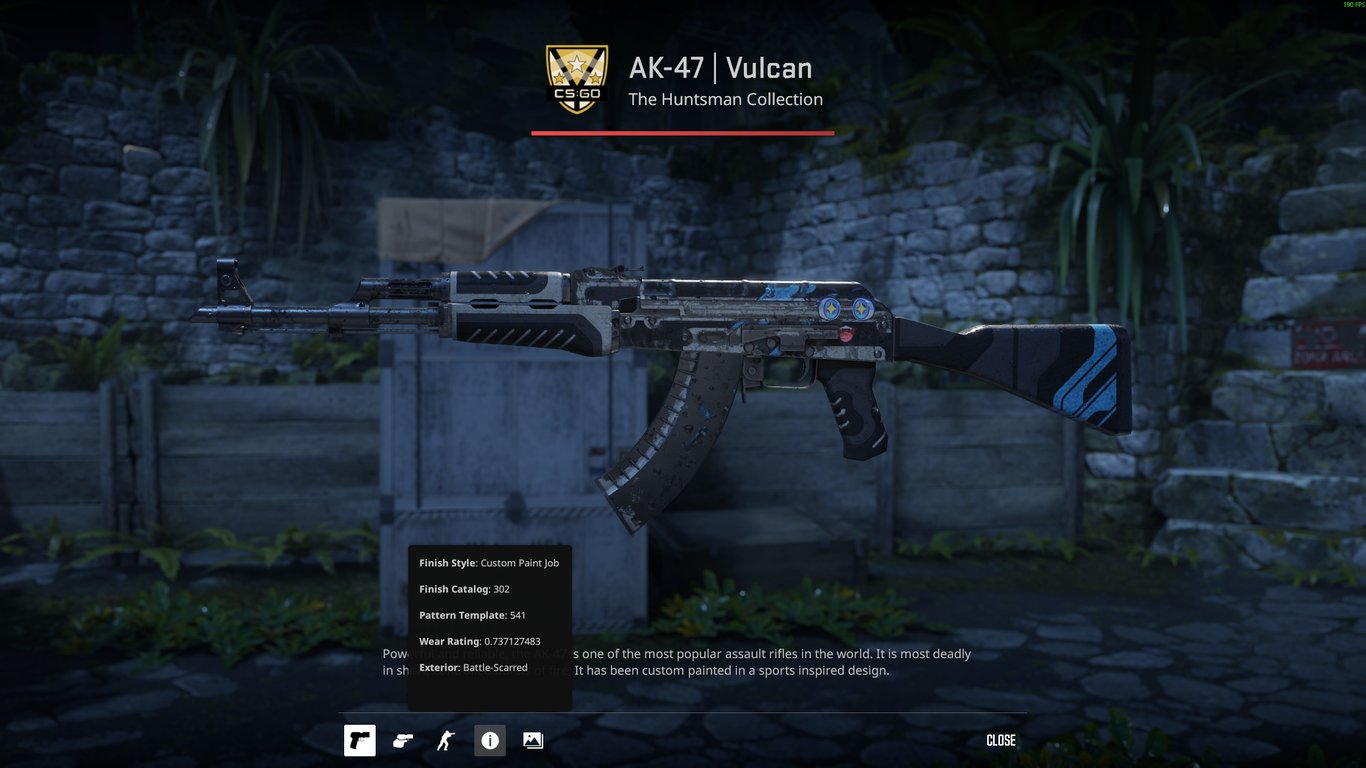
Battle-Scarred skins show the most damage.
Characteristics:
significant scratches
faded textures
heavy visual wear
These skins are usually the least expensive versions of a weapon finish.
Do CS2 Skins Wear Out?
A common question from new players is whether skins degrade through gameplay. The answer is no.
In Counter-Strike 2, skins do not wear out over time. The float value assigned to an item remains permanently fixed. This applies to all cosmetic items, including:
If you own a Factory New skin, you can use it in thousands of matches without affecting its condition.
Can You Improve Skin Float?
Because skins never degrade, they also cannot be upgraded or repaired. Currently there is no method to reduce float value or improve the wear condition of a skin. This fixed system is one reason extremely low-float skins are valuable.
Why Float Value Matters in the CS2 Market
Float value affects several key aspects of skin trading.
Visual Appearance
Lower float values produce skins that appear:
cleaner
brighter
less scratched
High float values create a heavily worn appearance. Some skins change dramatically depending on float value, while others look similar across wear levels.
Skin Prices
In most cases:
For many finishes, lower float values increase demand and price, particularly within the same wear category. However, rarity, pattern, supply, and buyer preferences can outweigh float differences.
Example price pattern:
Wear Level | Typical Float | Price Trend |
|---|
Factory New | 0.02 | Highest |
Minimal Wear | 0.11 | Medium |
Field-Tested | 0.25 | Lower |
However, the exact impact depends on the specific skin.
Collectors often search for skins with:
extremely low floats
rare float rankings
unique float numbers
These skins can sell for much more than the average market price.
Collector Value and Rare Float Skins
Some float values are especially desirable among collectors.
Ultra-Low Float Skins
Floats such as:
are considered ultra-low floats.
Extremely low floats can attract collector premiums, especially when an item ranks among the lowest recorded floats for its specific skin. Their value still depends on supply and demand.
Extremely High Float Skins
Interestingly, floats near 1.00 can also attract collectors.
At these levels, skins appear heavily worn, which creates a distinctive visual style that some traders intentionally collect.
Special Float Numbers
Certain float values gain attention because of the number itself.
Examples include floats that resemble:
These numbers do not affect gameplay but can create niche collector demand.
Float-Limited Skins in CS2
Not every skin can appear in every wear category. Some items have a restricted float range, often called a float cap.
Example: AWP Asiimov
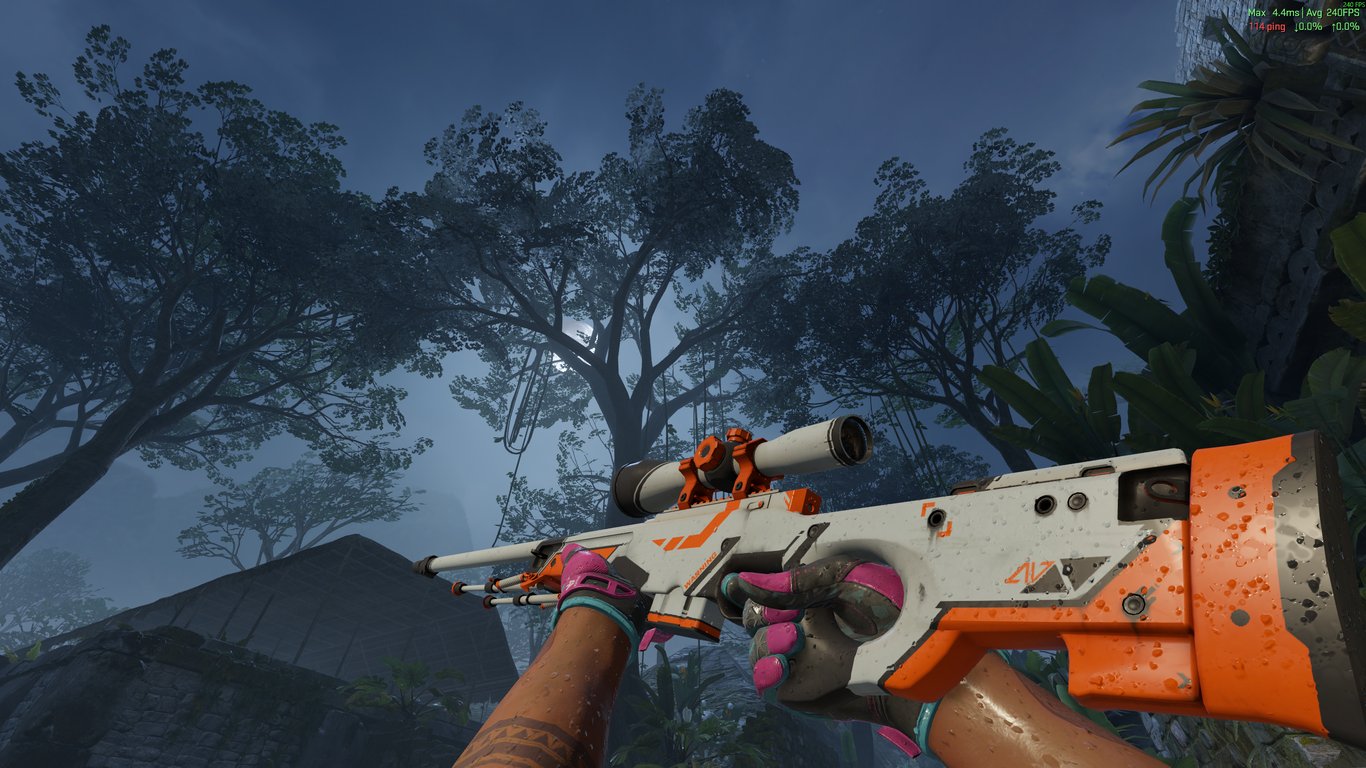
The well-known AWP | Asiimov can only exist in:
Field-Tested
Well-Worn
Battle-Scarred
It cannot appear in:
Because of this restriction, the best possible version of the skin is Field-Tested. Understanding float caps is important when searching for skins on the market.
Float vs Pattern Index: What’s the Difference?
Two separate variables influence how a CS2 skin looks:
Although they both affect appearance, they control different aspects.
Float Value
Float determines a skin's wear level, but its visual effect depends on the finish. Some skins develop scratches or faded areas as float increases, while others show changes in color or texture. A lower float doesn't always produce a dramatically different appearance.
Pattern Index
Pattern index, also called paint seed, determines how certain skin patterns are applied to a weapon model.
It influences:
color distribution
artwork placement
unique visual variations
Case Hardened Blue Gem knives are a well-known example: blue coverage and pattern index can have a major impact on price, while wear and float still matter.
How CS2 Skin Float Is Generated
When a skin is created in Counter-Strike 2, through case openings, drops, or trade-up contracts, the game assigns it a float value. This float is generated randomly within a predefined range specific to that skin. Because of this system:
These limitations contribute to rarity and price differences between skins.
How Float Affects Trade-Up Contracts
Float value also affects the outcome of CS2 trade-up contracts. Standard contracts exchange 10 eligible skins of the same rarity for one skin of the next rarity. Since the October 2025 update, a separate contract also allows players to exchange five Covert skins for a knife or gloves, subject to the contract's item requirements.
The output float is calculated using the input skins' float values and their individual float ranges. Each input float is normalized to its allowed range, the normalized values are averaged, and the result is mapped to the output skin's float range. This means the average raw float alone cannot reliably predict the resulting wear condition.
Traders therefore consider both input floats and the output skin's allowed float range when planning a contract. For more details about Trade-Up contracts, you can read this article.
What Is Considered a Good Float in CS2?
A “good float” depends on the specific skin and buyer preferences. Typical guidelines:
Some skins look nearly identical across float ranges, so paying extra for extremely low floats is not always necessary.
How to Check CS2 Float Values: In-Game and Float Checkers
You can check a skin's wear rating through CS2's inspection interface, a marketplace listing, or an external CS2 float checker. Make sure you're checking the exact item rather than relying only on its wear category.
In-Game Inspection
Players can inspect weapons in the inventory to see their wear rating. However, this method is inconvenient when browsing multiple listings.
Community Float Databases
Some third-party tools track float values across inventories. These are useful for collectors but often require manual searching.
Marketplaces with Float Display
The easiest way to find float values is using marketplaces where floats are shown directly on listings.
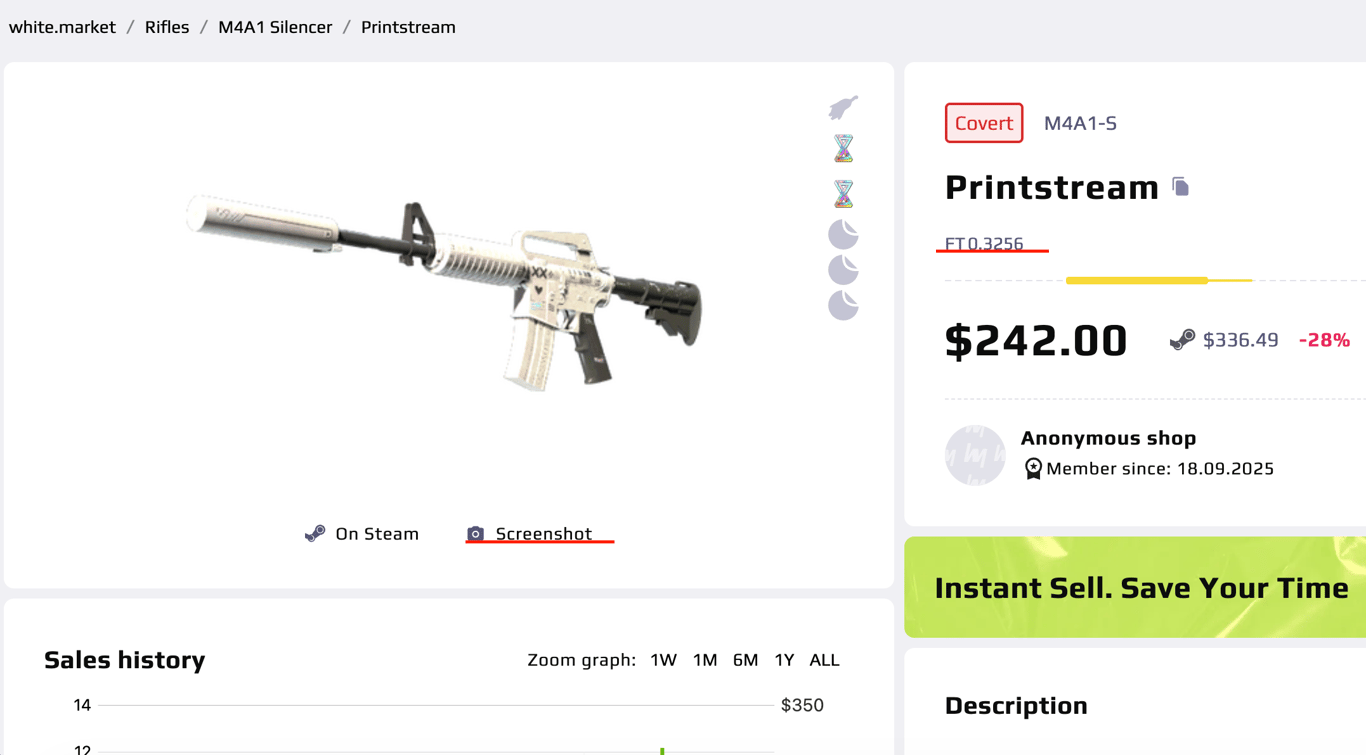
On white.market, users can:
see the exact float value of each skin
compare listings instantly
preview skins before buying
This makes it much easier to find skins with specific float ranges or rare values.
Tips for Buying CS2 Skins with the Best Float
Experienced traders usually follow several strategies.
Always Check the Exact Float
Wear categories alone can be misleading. A skin with 0.071 float is just above the Factory New threshold, while one at 0.149 is close to Field-Tested. Both are Minimal Wear, but the visual difference depends on the finish and may be subtle.
Compare Multiple Listings
Prices can vary depending on:
float value
pattern
seller pricing
Comparing listings helps identify better deals.
Look for Underpriced Low Floats
Some sellers price skins only by wear category rather than float value. This can create opportunities to find low-float skins at normal prices.
Use Float Filters
Advanced marketplaces allow users to:
filter by float range
sort by lowest float
compare items easily
This makes skin searching significantly faster.
Buying CS2 Skins with Float Data on white.market
For traders and collectors, checking the exact float is essential before buying. On the CS2 skins marketplace at white.market, buyers can compare listings using details such as:
exact float value
wear category
item preview
This allows users to evaluate skins without external float checking tools.
The platform also helps users:
FAQ: CS2 Float Value
What is float value in CS2?
Float value is a number between 0 and 1 that determines the wear level and visual condition of a skin in Counter-Strike 2.
What is CS:GO float, and is it different from CS2 float?
CS:GO float and CS2 float refer to the same skin wear rating system. Existing CS:GO skins retained their float values after the transition to Counter-Strike 2, although their appearance can differ under the newer lighting and rendering system.
Do CS2 skins wear out over time?
No. Skins do not degrade through gameplay. Their float value remains permanently fixed.
Can you change a skin’s float value?
No. Float value is assigned when the skin is generated and cannot be modified.
What float is considered rare in CS2?
Floats below 0.01 are generally considered low, but rarity depends on the specific skin and its available float range. Collector premiums are more likely for unusually low floats compared with other copies of the same finish.
Does float affect gameplay?
No. Float only affects visual appearance, not weapon performance.