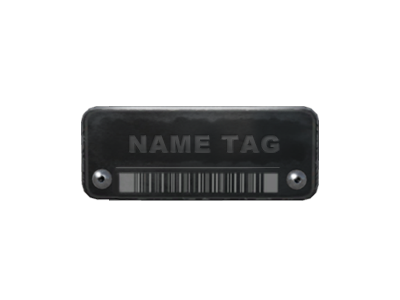
CS2 name tag: one tool, one weapon, one custom name
A CS2 name tag is a consumable tool that gives a single weapon a custom name. It is the same CS:GO name tag, carried into CS2 with its purpose unchanged, and Steam still labels it a Base Grade Tag. Applying it uses it up, so every listing in the grid above is the same unused tool, with no wear, pattern or StatTrak™ versions to compare. In the catalogue it belongs to the Other section, and it does a different job from stickers and charms: they change how a gun looks, a tag changes what it is called.
The custom name replaces the weapon’s title in your inventory, in the buy menu and in the kill cam your opponent sees, always in quotation marks. In CS2 a named weapon also carries a small nameplate on its model. The original name is never lost: the item keeps it on record and shows it next to the new one.
Which items take a name and what the plate changes
The tag works on weapons, skinned and stock alike:
- primary weapons — rifles such as the AK-47, SMGs, sniper rifles and heavy weapons;
- pistols, plus the Zeus x27;
- knives, which get the same nameplate as any gun.
Agents are the exception: they cannot be renamed, and their customisation goes through patches instead. On a weapon, the name leaves the skin untouched — float, pattern seed and stickers stay as they were. Each model has a fixed spot for the plate, and the naming window previews it on the gun before you confirm. On StatTrak™ weapons the custom name replaces the StatTrak™ label in the title, while the kill counter keeps running.
Length, symbols and fonts: what fits on the plate
The CS2 name tag character limit is tight — enough for a nickname or a couple of short words, spaces included — and the field stops accepting input at the cap. A name cannot start with a space, and the confirm button stays inactive whenever the game rejects the text, profanity included, so the tag is never spent on a name that fails the check.
CS2 name tag symbols from a standard keyboard — punctuation, brackets, slashes — are the safe part. Copy-pasted Unicode is a gamble: some characters render, some turn into blank squares, others make the name invalid. There are no CS2 name tag fonts to pick from either, since the plate uses the game’s own typeface. A CS2 name tag generator produces lookalike Unicode characters rather than a font, so test its output in the in-game preview first.
Most CS2 name tag ideas that age well are short and tied to the item: a nod to the finish on your AWP, a callout from your best map, a line only your stack understands. The plate is small, so a name that reads at a glance beats a long pun.
How to remove a name tag in CS2
Removing a name is free and happens in the same window used to apply it:
- Right-click the renamed weapon in your CS2 inventory and open the name tag option, as if applying a new one.
- Press the remove control next to the name field.
- Confirm — the weapon returns to its original name at once.
The tag that was on the weapon is discarded and does not come back to your inventory. To change a name, there is no need to remove the old one: a new Name Tag overwrites it and is spent the same way. One catch: a weapon you have just received in a trade is under Steam’s Trade Protection, which blocks any modification, so its name can come off only when that period ends.
Store copies, tradable copies and what the grid shows
Valve sells Name Tags in the in-game store, but store copies are account-bound: they cannot be traded or listed for sale. The same rule covers the StatTrak™ Swap Tool. Every Name Tag in this grid is therefore a tradable copy from the stock that existed before that change. Store purchases no longer add to that stock, and each tradable tag applied to a weapon leaves it for good — which is why the CS2 name tag price on a P2P market is set by sellers, not by the store.
All listings are the same Base Grade tool, so the only things to compare are price and delivery: sort the grid by price and use the Delivery filter if you need the tag soon. Like any item received in a trade, a tag bought here is Trade Protected for a while and can be applied once that period ends. If you want a name on your gun today and never plan to pass the tag on, the store copy is the direct route; a tradable one keeps that option open.
Buying and selling Name Tags on white.market
Every deal here is an ordinary Steam trade between two players:
- Sign in with Steam and add your Steam trade URL to your white.market profile.
- Pick a listing, offer your own price in the Bargain tab, or place a limit order.
- Accept the incoming trade offer, and the tag lands in your Steam inventory.
- To sell, list a tradable Name Tag and send the trade offer through the white.market extension or app once it sells.
Before you rename: quick answers
Does a name tag give any advantage in a match?
No. A name is purely cosmetic and does not touch recoil, damage, movement or any other weapon stat.
Does the name stay on a skin when I sell or trade it?
Yes. The name is part of the item and moves to the next owner, who can keep it or remove it for free. A used tag cannot be moved to another weapon.
Can I rename a stock weapon or the C4?
Yes. Default weapons accept a Name Tag too, the C4 Explosive included; switch off the Hide Default Items filter in your inventory to see them. The customised default then appears as a separate item.
Is it safe to buy a Name Tag on a P2P market?
Yes, if you check the trade offer before accepting it. On white.market the tag comes straight from the seller’s Steam inventory, and the platform protects the payment while the trade completes. Make sure the offer contains the Name Tag you bought and asks for nothing in return.